

What is an in-match HUD?
It is the set of counters and buttons that stay visible during play, as opposed to a menu the player opens.
 Scroll for more
An in-match HUD is the chrome that stays up while the player acts. Strong ones keep score, resources, and the next action at the edges so the playfield remains readable.
It is the set of counters and buttons that stay visible during play, as opposed to a menu the player opens.
When the match cannot continue without a choice, as in Candy Crush’s extra moves or Archero’s skill pick. Otherwise the board stays clear.
Sketch the playfield first, then place only the counters the player needs for the next action.
 8 Ball Pool™
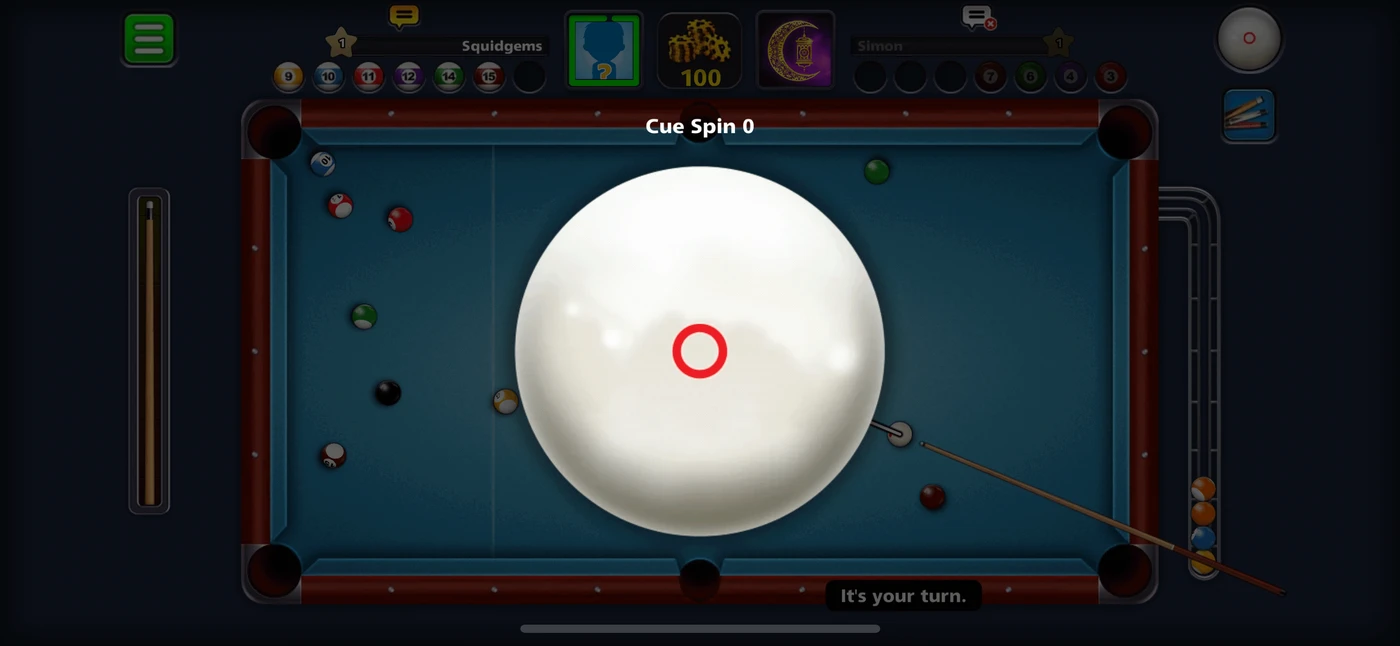
Opponent headers, the stake, a power meter, and cue spin, with “It’s your turn.”
 Bus Escape: Traffic Jam
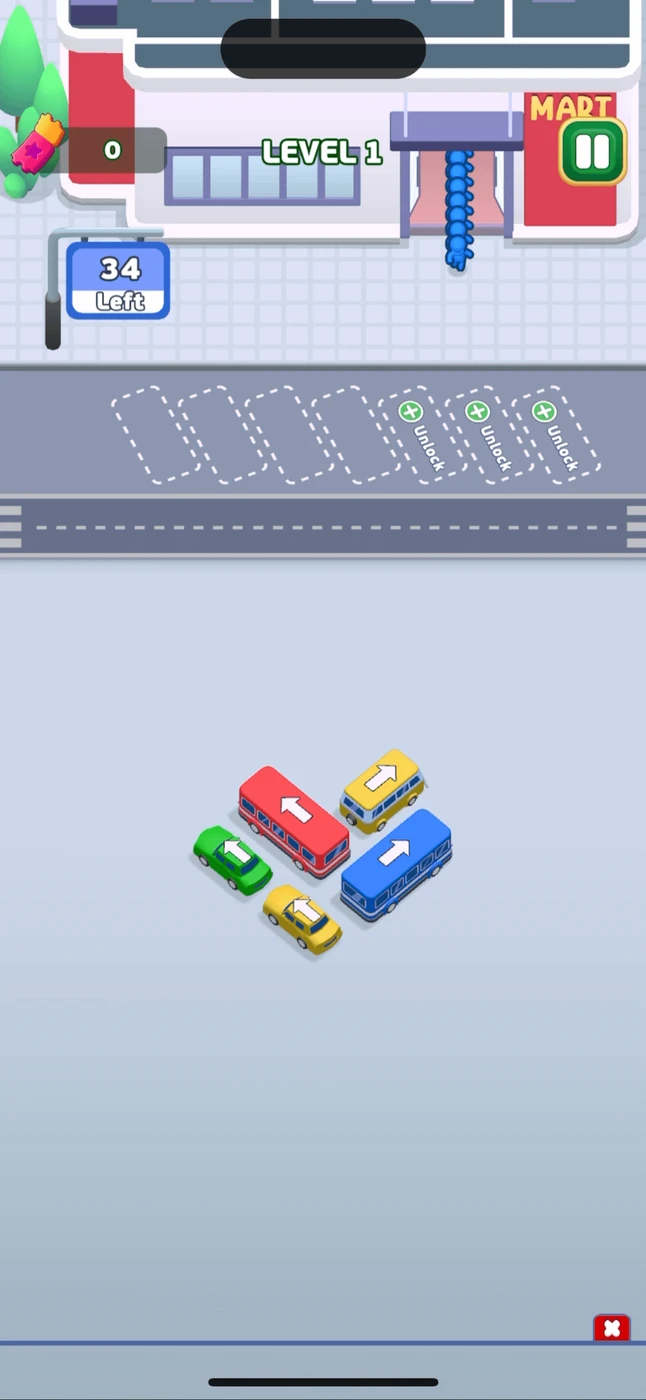
The board is the screen. A move counter and pause sit at the edges.
 Angry Birds Dream Blast
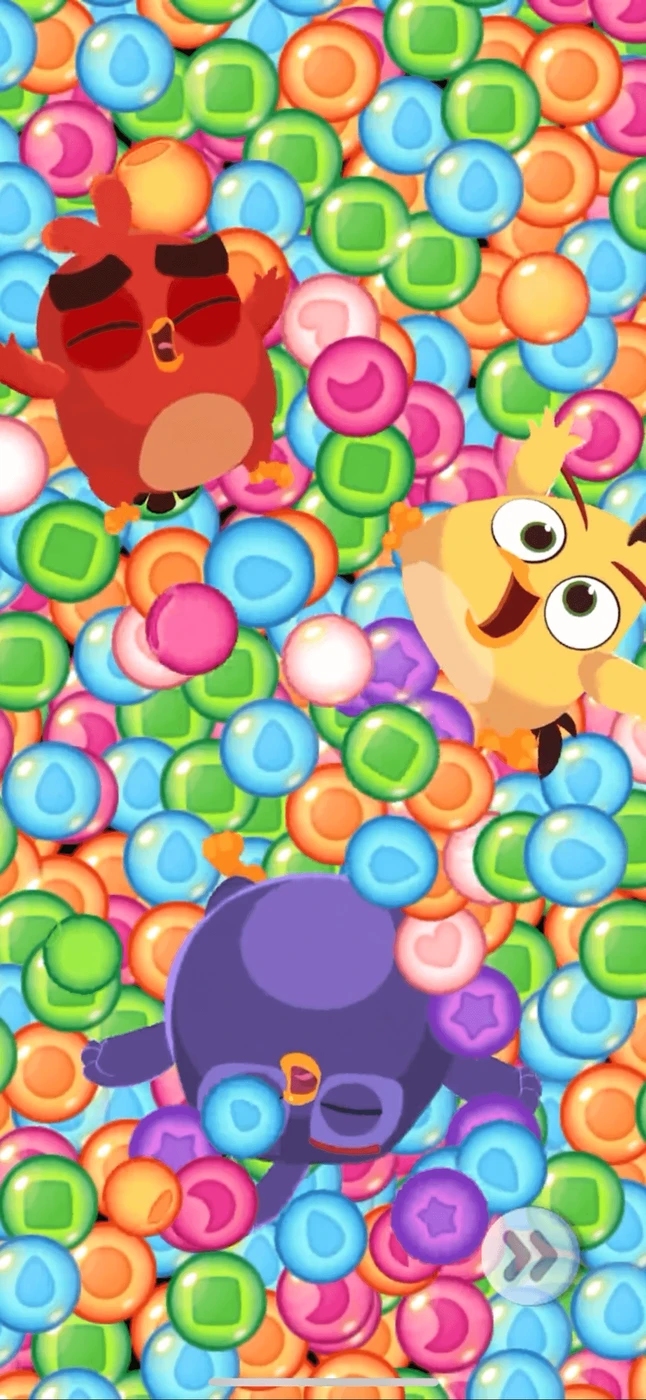
The bubble field fills the portrait screen. Chrome is a faint skip control.
 Archero 2
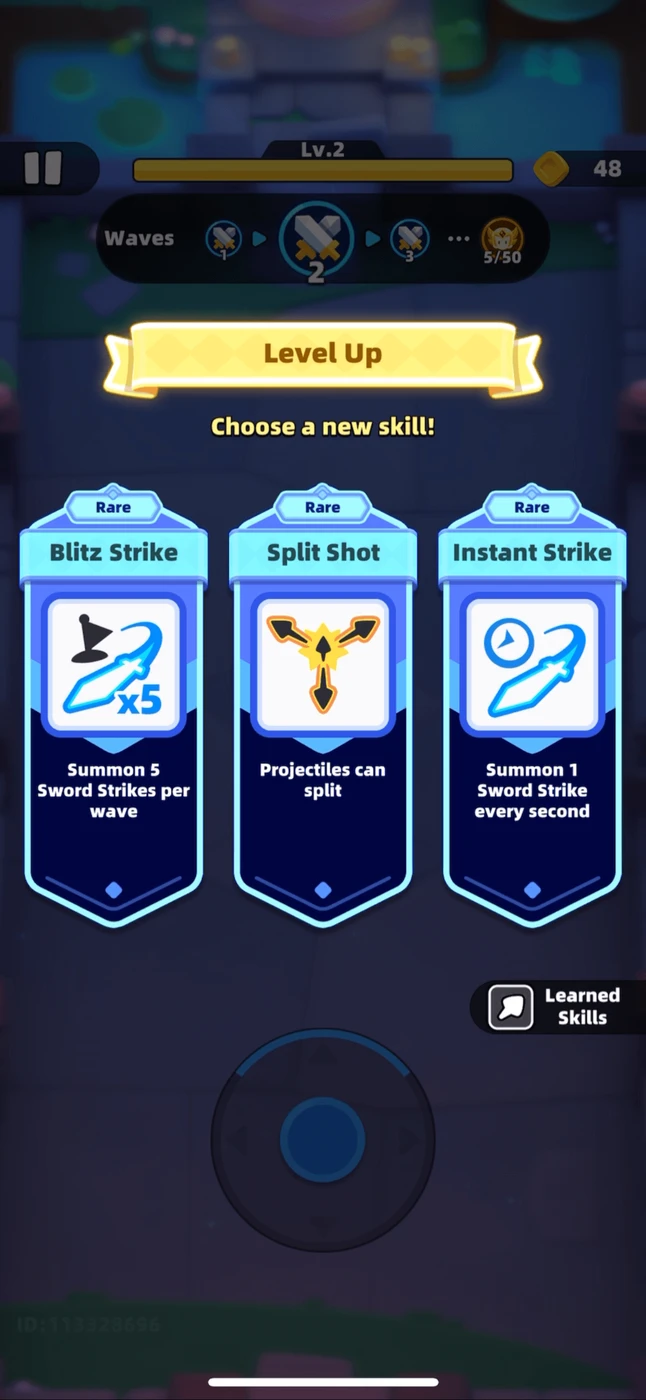
A level-up overlay of three skill cards, with the wave HUD and joystick still visible underneath.
 Candy Crush Saga
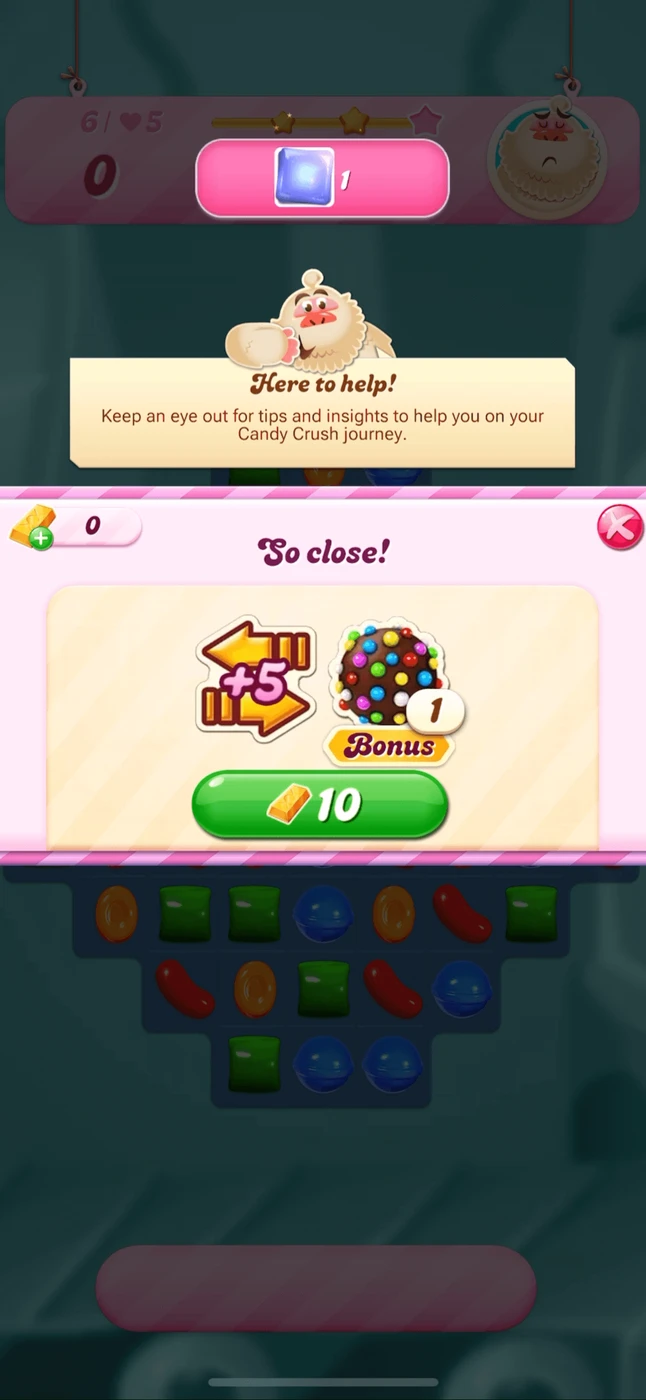
A continue popup for more moves, priced in gold, over a dimmed board.
 Clash Royale
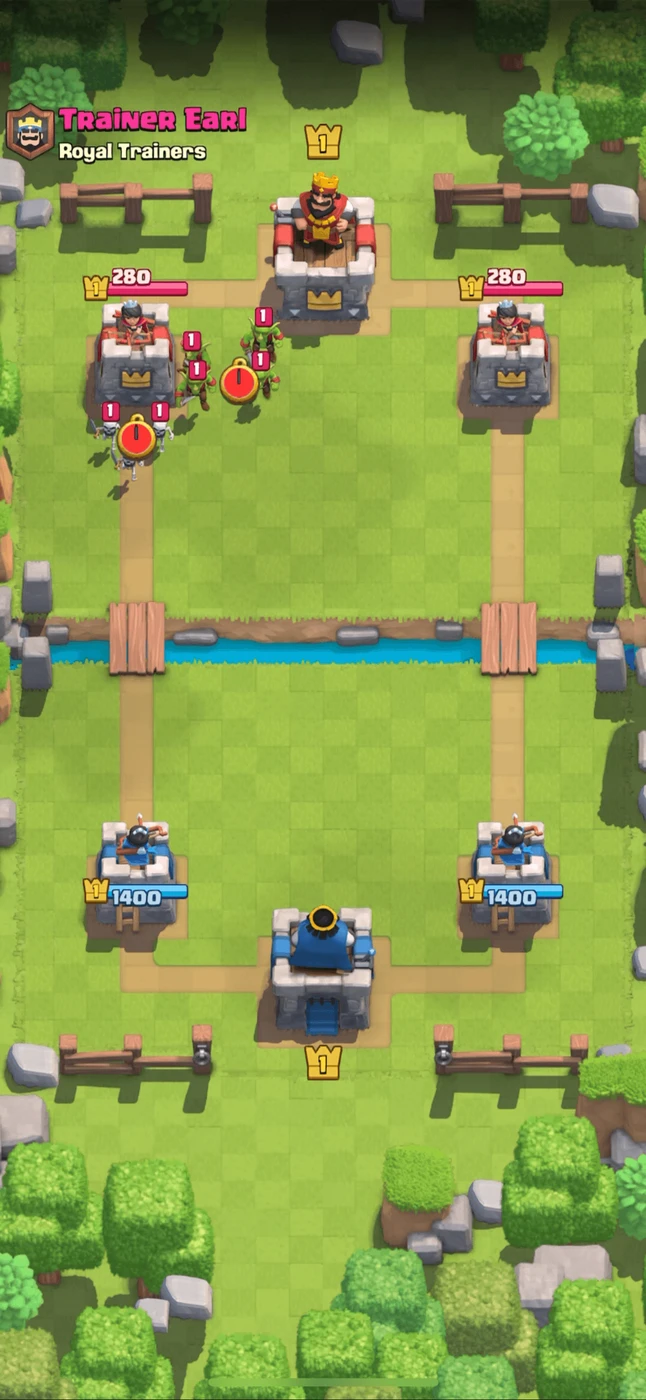
Elixir, the card hand, and both tower health bars stay on screen for the whole push.
The 6 screens above are the public sample of in game screens. An account opens the rest of the library, including flows and mechanics.
Join for free