'%20fill='white'/%3e%3crect%20x='66'%20y='12'%20width='6'%20height='6'%20transform='rotate(-90%2066%2012)'%20fill='white'/%3e%3crect%20x='60'%20y='18'%20width='6'%20height='6'%20transform='rotate(-90%2060%2018)'%20fill='white'/%3e%3cpath%20d='M82%206H94V12H88V18H94V12H100V24H82V12V6Z'%20fill='white'/%3e%3cpath%20d='M104%206V0H110V6H116V12H110V18H116V12H122V24H104V12V6Z'%20fill='white'/%3e%3c/svg%3e)


UI element category
Overlay mobile game UI references
Browse 74 public Overlay UI element references from real mobile games on Flomob. See how studios design overlay components in live screens across genres, without creating an account.
Flomob’s public Overlay gallery answers common research questions: How do successful games size and style overlay components? Where do overlay patterns show up—profiles, HUDs, shops, or social layers? Review the featured screens below, then sign up free to save references and unlock the full UI library.
UI elements · Mobile game UI · Interface patterns · Overlay patterns · Public previews

Public preview

Pixel Flow!
Loom Games
Open this featured screen to explore the pattern, related categories, and game context. Log in to unlock the full gallery.
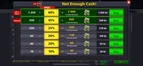
Public preview

8 Ball Pool™
Miniclip
Open this featured screen to explore the pattern, related categories, and game context. Log in to unlock the full gallery.

Public preview

AFK Arena
Lilith Games
Open this featured screen to explore the pattern, related categories, and game context. Log in to unlock the full gallery.
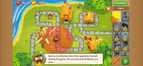
Public preview

Bloons TD 6
Ninja Kiwi
Open this featured screen to explore the pattern, related categories, and game context. Log in to unlock the full gallery.
Public preview

Among Us!
Innersloth
Open this featured screen to explore the pattern, related categories, and game context. Log in to unlock the full gallery.
Public preview

Chants of Sennaar
Rundisc
Open this featured screen to explore the pattern, related categories, and game context. Log in to unlock the full gallery.
More categories in this group
Frequently asked questions
What are Overlay UI element references?
They are real overlay components and treatments pulled from shipping mobile games, linked back to the screens and games where they appear.
How do designers use Overlay patterns from Flomob?
Compare sizing, states, contrast, and placement across genres, then adapt those findings into your design system.
Are public Overlay previews enough for deep research?
Public previews are a strong starting point. Sign up to unlock the full gallery, advanced filtering, and saved collections.
How to use these references
Use this Overlay collection to compare how different games solve the same UX moment. Focus on hierarchy, clarity, and action emphasis rather than copying exact visuals.
Start by reviewing 3-5 examples, note repeated interaction patterns, then adapt those principles to your product goals and design system.