


Studio reference
Rollic Games
Browse 1 Rollic Games games and open public UI screen references on Flomob—useful for competitive mobile game design research.
Games in library
Public highlights
Screens and UI patterns
Sample screen references and interface patterns from Rollic Games's public games on Flomob.
Featured screen types
UI element patterns
Featured public screens

Color Block Jam Splash Screen — Logo
Color Block Jam
Color Block Jam splash on deep purple showing white rollic and gybe games logos stacked, framed by the Dynamic Island notch and home indicator bar.

Color Block Jam Title UI
Color Block Jam
Color Block Jam splash screen with bubbly 3D title, floating colorful studded blocks, blue-to-purple gradient sky, and a rounded 15% loading progress bar.
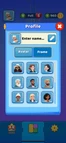
Color Block Jam Edit Profile — Avatar
Color Block Jam
Review Color Block Jam’s Profile editor: name input, Avatar/Frame tabs, scrollable avatar grid, lives and coin HUD, and bottom nav icons.

Color Block Jam Level Selection — Avatar
Color Block Jam
Color Block Jam Level 15 start modal with Unlock Level 70 progress, locked clock and rocket boosters, green Play CTA, hearts Full 5, and coin HUD.

Color Block Jam Level Selection UI
Color Block Jam
Color Block Jam level path highlighting Level 15 green brick node and play CTA, locked higher levels, lives and coins HUD, Shop Levels Settings tabs.