

What belongs on a first-session tutorial?
One action, named in plain language, with the matching control highlighted. Flomob’s examples are from shipping games.
 Scroll for more
A first-session tutorial is the screen that teaches the game’s main verb before the player is on their own. Strong ones highlight one control, say what it does, and let the player perform it immediately.
One action, named in plain language, with the matching control highlighted. Flomob’s examples are from shipping games.
BitLife isolates a single button on a dimmed screen. Among Us compares two control schemes on the live view and pages through steps.
Watch what is highlighted and what is dimmed. Copy the hierarchy, not the character art.
 BitLife
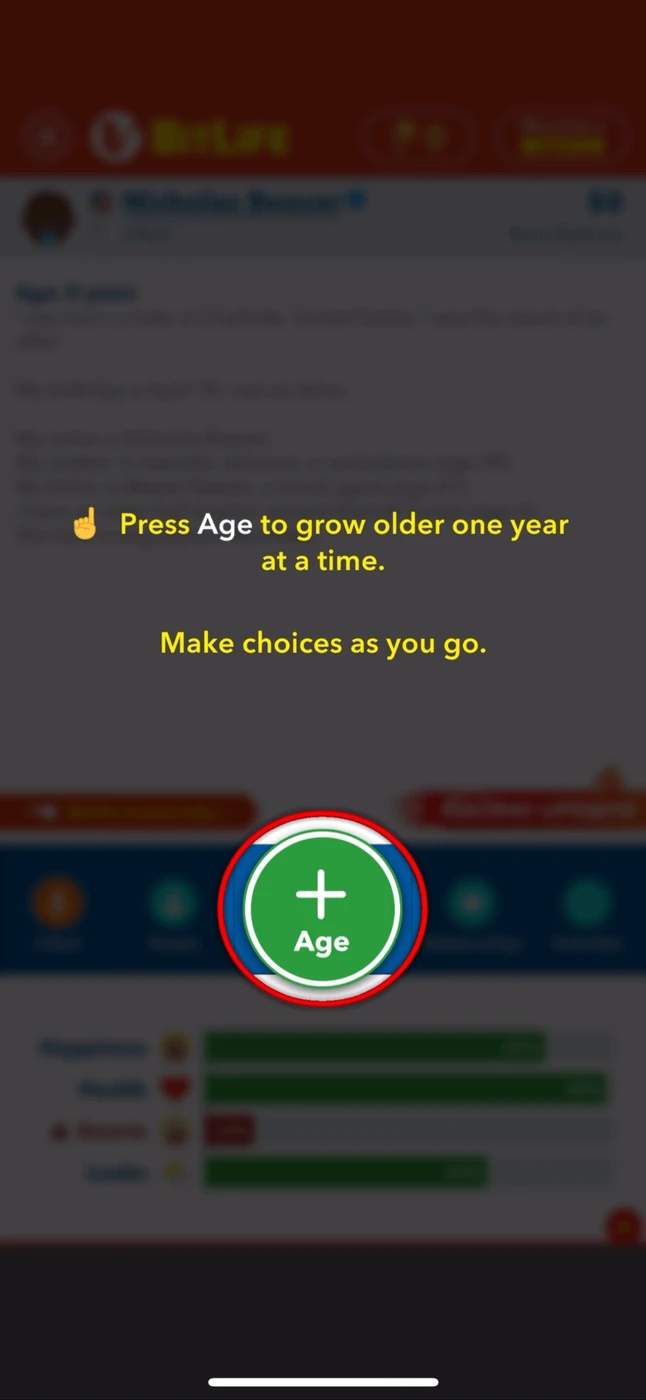
The Age button is the only bright control. The copy says press it to grow older.
 Candy Crush Jelly Saga
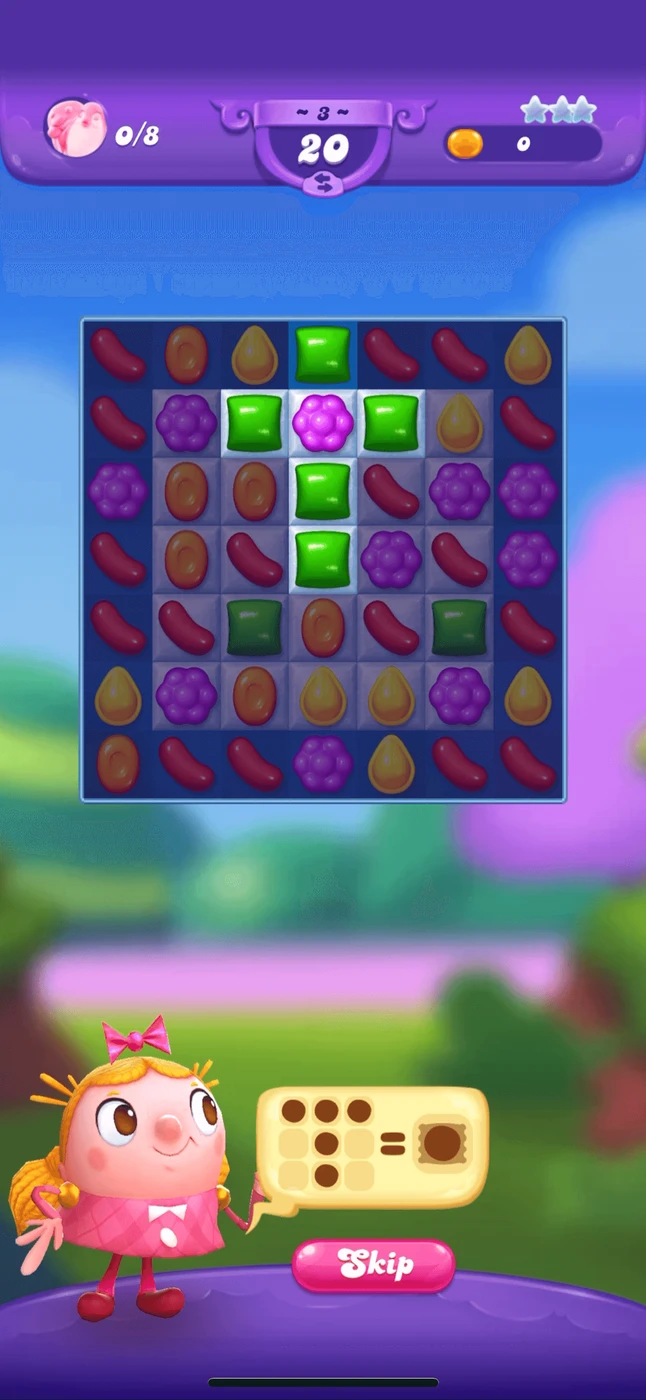
Tiffi explains a T-shape match. Skip sits beside the tip, and the board stays visible.
 Bus Escape: Traffic Jam
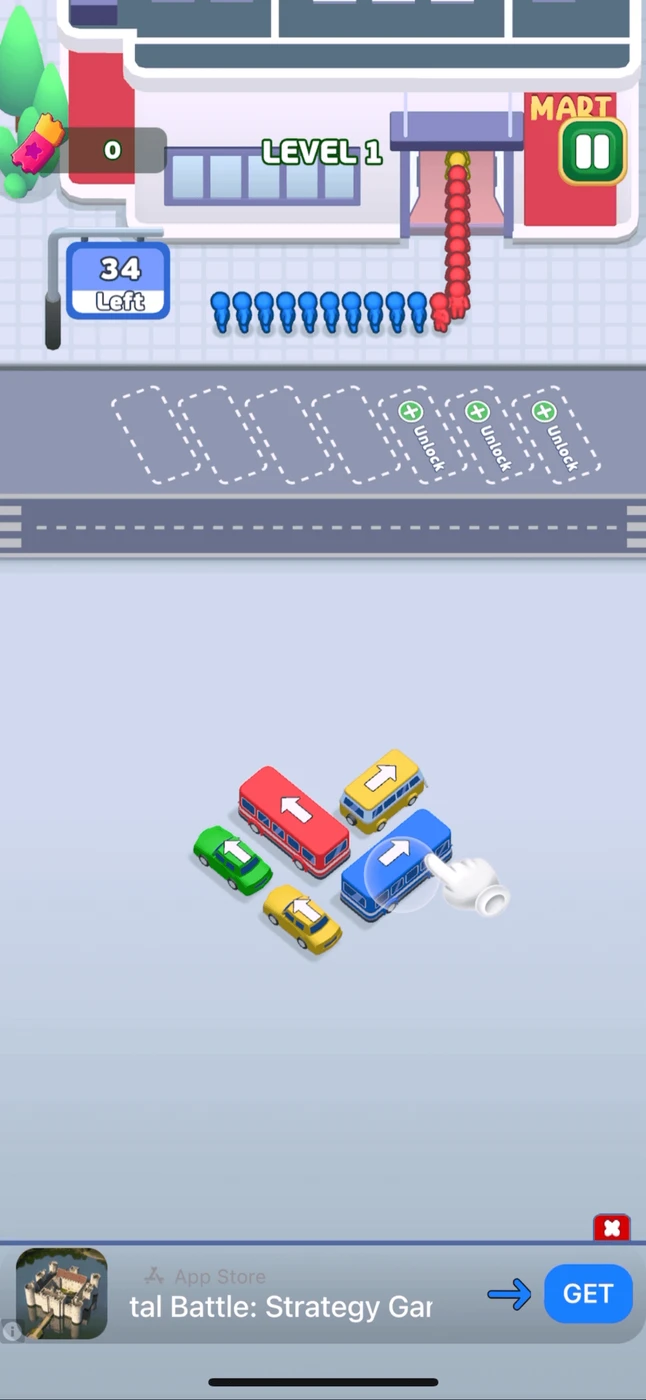
A gloved hand taps the blue bus on the live level. The lesson is the gesture, not a modal.
 Among Us!
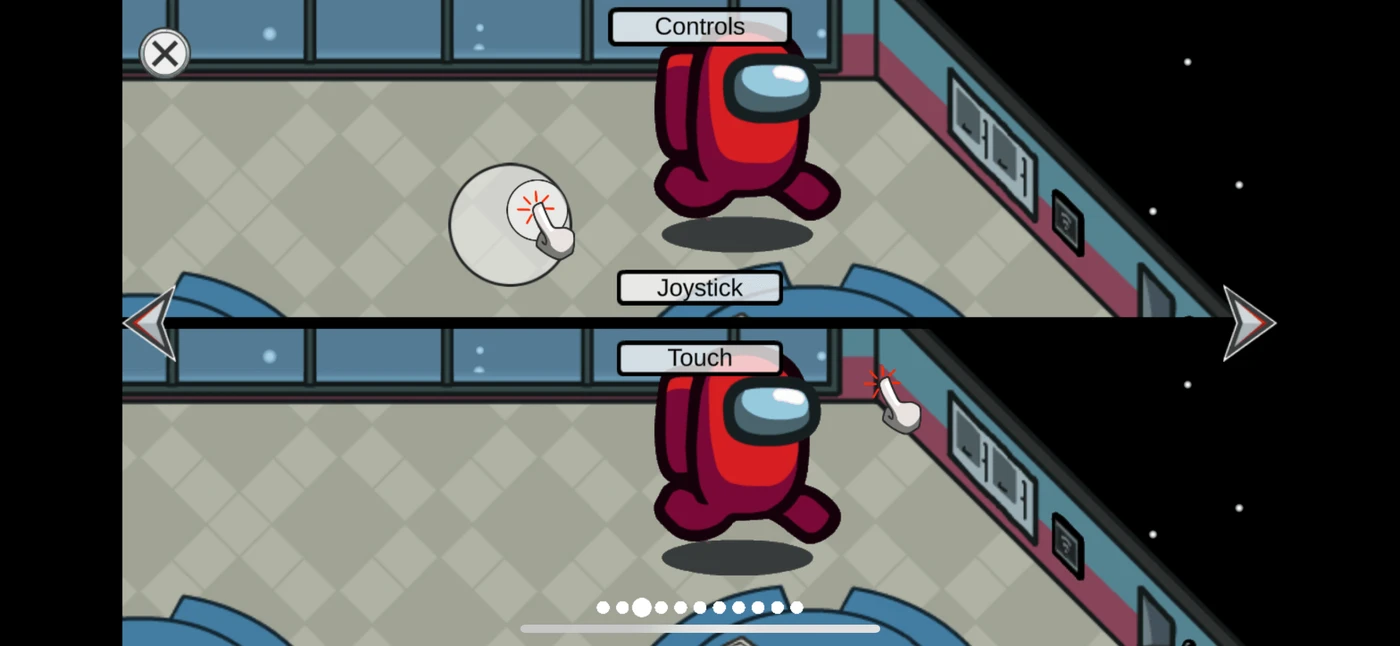
Joystick and tap-to-move are shown side by side, with step pagination.
 Angry Birds 2
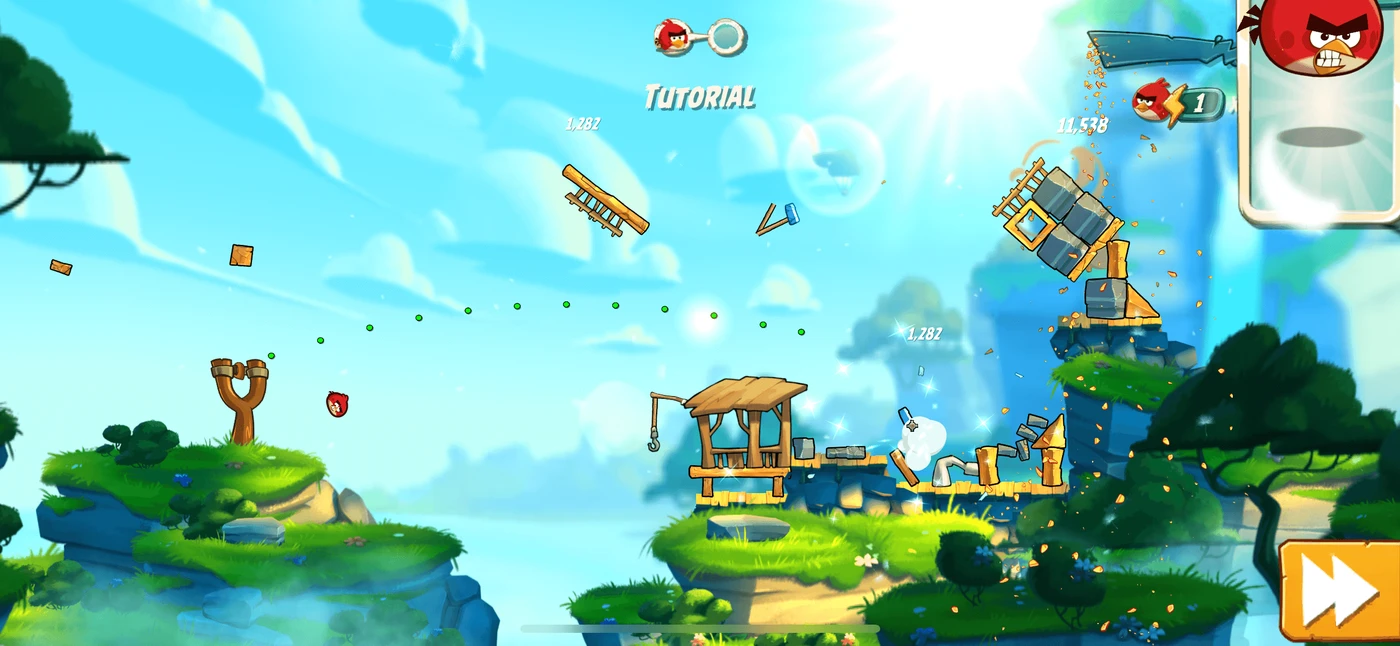
The slingshot lesson happens on the level, with a score HUD and a yellow Skip.
 Broken Sword: Reforged
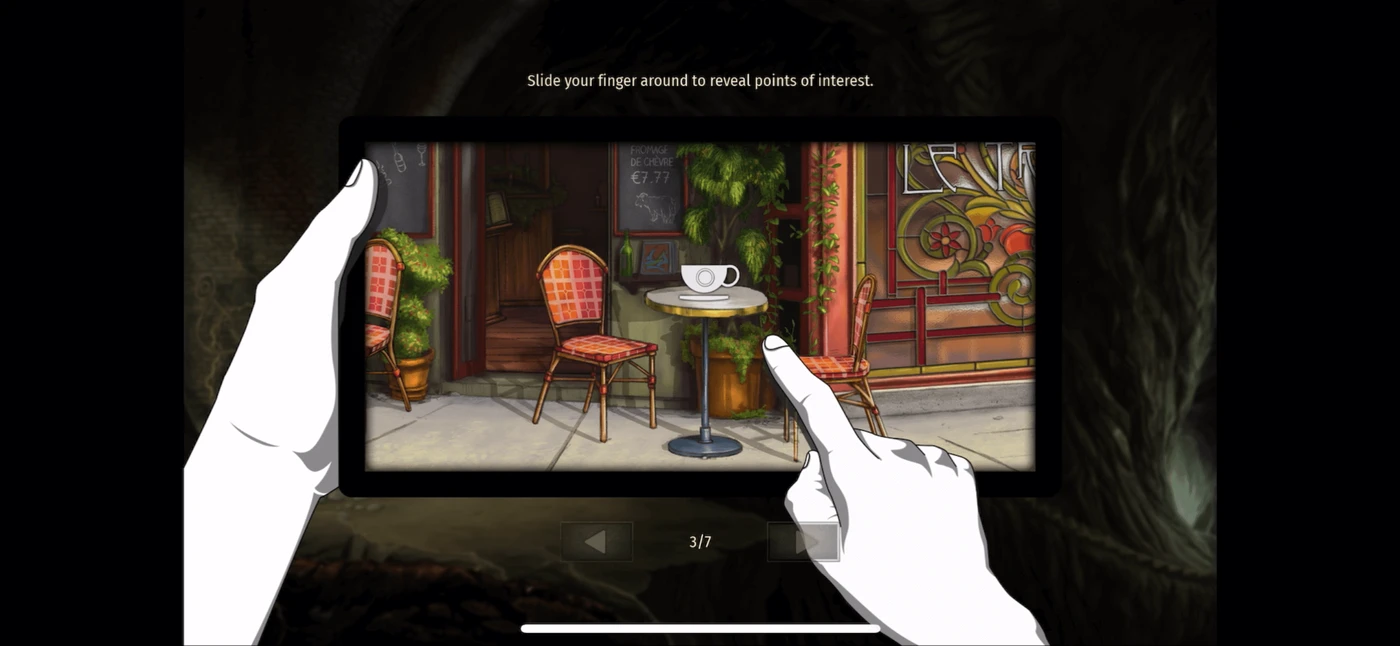
A carousel slide, 3 of 7, shows a finger cue for sliding to reveal points of interest.
The 6 screens above are the public sample of tutorial screens. An account opens the rest of the library, including flows and mechanics.
Join for free