


Studio reference
Mojang Studios
Browse 1 Mojang Studios games and open public UI screen references on Flomob—useful for competitive mobile game design research.
Games in library

Public highlights
Screens and UI patterns
Sample screen references and interface patterns from Mojang Studios's public games on Flomob.
UI element patterns
Featured public screens
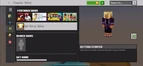
Minecraft Info Screen UI
Minecraft
Minecraft Classic Skins menu with featured marketplace skin packs, Minecoins balance, character preview in a purple robe, and Getting Started tip.

Minecraft In Game — Overlay
Minecraft
Minecraft emote wheel overlays Wave, Follow Me, Over There, and Clapping slots with Tap emote to activate tip and Change Emotes over a sunny beach world.
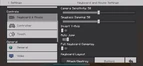
Minecraft Settings UI
Minecraft
Minecraft Keyboard & Mouse settings: camera and spyglass sensitivity sliders, Invert Y-Axis and Auto Jump toggles, plus Attack/Destroy key binding.
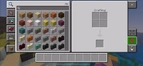
Minecraft mobile game UI
Minecraft
Minecraft mobile crafting inventory with construction block grid, category tabs, 2x2 crafting slots, result output, hotbar, and close controls.

Minecraft Menu — Button
Minecraft
Minecraft Game Mode menu comparing Survival and Creative cards with creeper art, build illustrations, and short mode descriptions below each.